
Session Respect Score
"A flight simulator add-on featuring real and historical military aircraft with no narrative structure, offering pure sandbox flying."
Minimum session
5 min
Pausability
Pause anytime
Resume friendliness
Hard to resume
FOMO pressure
Zero FOMO
Focus required
Intense
Session structure
Open-ended










About
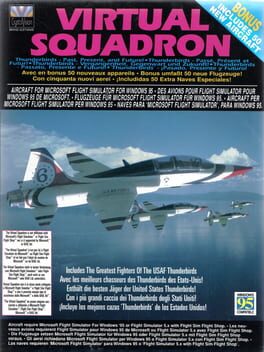
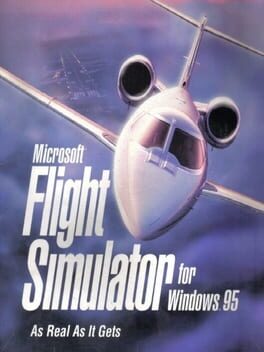
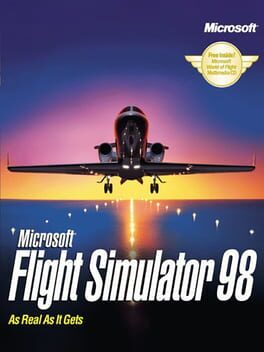
The Virtual Squadron: Thunderbirds Past, Present and Future! is an unofficial add-on for Microsoft Flight Simulator 5.X. It gives the player all the aircraft flown by the US Thunderbirds air demonstration squadron at the time of its release, together with their USAF equivalents, and a host of bonus aircraft. At the time this add-on was released the F-22 Lightning was not in service as congressional funding was needed before it could go into production and be deployed, hence the 'Future' element in the title.
Media
Tips for short sessions
From players, plus AI tips drawn from guides, each linked to its source.
Be the first to leave a tip!
Sign in to add a tip
Community Session Data
No sessions logged yet.
Context Tags
Deaf friendly? One-handed? Good for commutes? Players vote.
Sign in to vote on tags
Platform Notes
Does it actually work well on your platform? Community tested.
Microsoft Flight Simulator 5.1: The Virtual Squadron — Session FAQ
- How long does a session of Microsoft Flight Simulator 5.1: The Virtual Squadron take?
- The minimum meaningful session for Microsoft Flight Simulator 5.1: The Virtual Squadron is approximately 5 minutes. This is the shortest play window where you can make real progress or have a satisfying experience, based on community data.
- Can you pause Microsoft Flight Simulator 5.1: The Virtual Squadron?
- Yes. Microsoft Flight Simulator 5.1: The Virtual Squadron supports instant pause. You can stop at any moment without penalty, making it ideal for sessions that might be interrupted.
- Does Microsoft Flight Simulator 5.1: The Virtual Squadron pressure you to keep playing?
- Microsoft Flight Simulator 5.1: The Virtual Squadron has no FOMO mechanics: no timed events, live content, or narrative cliffhangers. You can stop whenever you want without feeling like you're missing out.
- What is Microsoft Flight Simulator 5.1: The Virtual Squadron's Session Respect Score?
- Microsoft Flight Simulator 5.1: The Virtual Squadron has a Session Respect Score of 7.9/10. This score combines minimum session length, pausability, FOMO level, and pickup friendliness into a single metric for how well the game fits busy schedules.