
Session Respect Score
AI estimate · 0/5 votes
0.0/ 10
"A VR typing practice game with leaderboards that fits into short breaks and rewards quick, focused sessions."
Best session: 5-15 minutes
Minimum session
5 min
Pausability
Pause anytime
Resume friendliness
Easy to resume
FOMO pressure
Low FOMO
Focus required
Moderate
≡
Session structure
Self-contained runs
Play between work tasks to warm up your typing speed without commitment; the leaderboard-driven structure motivates short, intense bursts.
Where to play







About
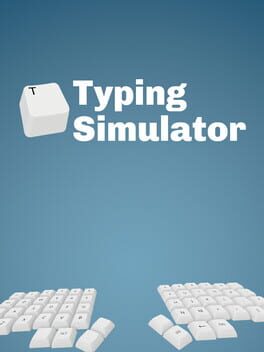
Typing Simulator is not a game, it's the future. Learn to type. Get fast. High scores, leader-boards and speed running, all in VR.
Single player
Media
Tips for short sessions
From players, plus AI tips drawn from guides, each linked to its source.
Be the first to leave a tip!
Sign in to add a tip
Community Session Data
No sessions logged yet.
Context Tags
Deaf friendly? One-handed? Good for commutes? Players vote.
🔇No sound OK
🤚One-handed
🎵Background game
🚇Commute friendly
✈️Plane friendly
💤Suspend & resume
⚡Quick to boot
☁️Cloud save
👶Kid can watch
🛋️Couch co-op
🎤No voice chat needed
🌙Solo after bedtime
🎙️Podcast game
🧘Zen mode
🥱Brain off
🔁Satisfying grind
🧒Kid co-op
🧏Deaf friendly
Sign in to vote on tags
Platform Notes
Does it actually work well on your platform? Community tested.
Typing Simulator — Session FAQ
- How long does a session of Typing Simulator take?
- The minimum meaningful session for Typing Simulator is approximately 5 minutes. This is the shortest play window where you can make real progress or have a satisfying experience, based on community data.
- Can you pause Typing Simulator?
- Yes. Typing Simulator supports instant pause. You can stop at any moment without penalty, making it ideal for sessions that might be interrupted.
- Does Typing Simulator pressure you to keep playing?
- Typing Simulator has low FOMO. There may be some narrative momentum, but the game doesn't pressure you to keep playing. Natural stopping points are common.
- What is Typing Simulator's Session Respect Score?
- Typing Simulator has a Session Respect Score of 8.7/10. This score combines minimum session length, pausability, FOMO level, and pickup friendliness into a single metric for how well the game fits busy schedules.